Most creative projects begin in an imperfect state.
A musician may have a melody but no arrangement. A designer may have a rough sketch that does not yet solve the practical problem. An architect can have an appealing concept without knowing whether the proportions will work. A content creator might understand the message they want to communicate but have no clear idea how the finished piece should look.
That uncertainty is not a weakness. It is simply how creative work develops.
The real challenge is creating a workflow that allows an unfinished idea to evolve without unnecessary friction.
Modern creative software has changed that process. Digital tools give musicians, designers, architects, visual artists, and other professionals ways to test ideas, preserve versions, compare alternatives, and communicate concepts before committing to a final result.
The most effective creative workflow is rarely about doing everything faster. It is about making the right decisions easier to make.
Table of Contents
ToggleCreativity Needs Room for Experimentation
Creative work rarely follows a perfectly straight line.
An initial idea may lead somewhere unexpected. A first attempt might expose a better possibility. A seemingly minor change can completely alter the direction of a project.
That is why experimentation should not be treated as wasted time.
In music production, a producer may change a rhythm, transpose a melody, manipulate an audio clip, or try an entirely different arrangement. In 3D design, a professional might alter proportions, move an object, test another material, or develop several versions of the same space.
The ability to make those changes easily matters.
When experimentation is difficult, creators become more attached to their first ideas. They may avoid testing alternatives simply because doing so takes too much time.
When experimentation is inexpensive, the opposite can happen. People become more willing to ask, “What if?”
That question is often where better creative work begins.
Start With a Working Version, Not a Perfect One
Perfectionism can look like professionalism, but the two are not the same.
Trying to make the first version perfect often slows projects down because creators are attempting to solve problems before they fully understand them.
A rough version provides information.
A simple music loop can reveal whether a rhythm has potential. A basic 3D model can show whether a room feels balanced. A preliminary presentation can expose which parts of an idea are difficult for an audience to understand.
The first version does not need to be impressive.
It needs to exist.
Once something tangible has been created, the creator can react to it rather than trying to imagine every possibility in advance. That makes revision more concrete and usually leads to better decisions.
This principle applies across creative disciplines. The objective is to create a useful starting point that can be improved.
This is where creative productivity becomes more than simply working faster. When ideas can be captured, tested, revised, and compared without excessive technical friction, creators have more opportunity to focus on the quality of their decisions.
Why Flexible Software Matters
The value of creative software is not determined only by how many features it contains.
A program can have an enormous feature list and still produce a frustrating workflow. Conversely, a focused application can be extremely effective if its structure matches the way its users think.
For musicians, flexibility can mean being able to move between recording, MIDI sequencing, arrangement, sound design, and performance without constantly rebuilding the project.
For designers, it can mean creating a rough model, changing dimensions, testing different configurations, and communicating the result without starting from scratch.
This is one reason a more flexible approach to music production can have such a significant impact on creative output. The ability to experiment with musical ideas before committing to a final arrangement gives producers more freedom to discover rather than simply execute.
The broader lesson is useful beyond music: creative tools should support the process of thinking, not merely document its outcome.
Digital Prototyping Changes the Cost of Mistakes
One of the biggest benefits of digital workflows is that they make mistakes cheaper.
Imagine an interior designer considering several layouts for a room.
With a digital model, different arrangements can be explored before furniture is purchased or construction begins. A designer can discover that a particular configuration blocks movement or makes the room feel unbalanced while the solution is still easy to change.
The same logic applies to architecture and product design.
A digital prototype gives creators something they can examine before committing significant resources.
That makes 3D modelling more than a visual presentation technique. It becomes part of the decision-making process.
Instead of asking clients or collaborators to imagine a concept from a technical description, the designer can give them something tangible to examine.
That improves the quality of feedback.
It can also reveal problems that would otherwise remain hidden until much later.
Build Workflows Around Stages
A common productivity mistake is treating every stage of a creative project as though it requires the same type of thinking.
It does not.
Early development is about exploration.
Middle-stage development is about selection and refinement.
The final stage is about quality control, consistency, and presentation.
A useful workflow reflects those differences.
During the exploration stage, creators should be able to generate alternatives quickly. There is little value in polishing every possibility when most of them will eventually be discarded.
Once a strong direction emerges, attention can shift towards structure and detail.
Finally, the creator can concentrate on presentation, technical quality and delivery.
Separating these stages can reduce wasted effort because it prevents detailed work from being performed on ideas that have not yet earned it.
Organisation Is Part of Creativity
Creative professionals sometimes view file organisation as administrative work that sits outside the creative process.
That is a mistake.
A badly organised project creates friction every time someone needs to find something.
A producer who cannot locate an important recording loses momentum. A designer working with poorly structured models can spend unnecessary time searching for components. A team using inconsistent file names can accidentally work from outdated versions.
Simple organisational habits prevent these problems.
Useful practices include:
- consistent file naming;
- clear project folders;
- logical version numbers;
- reusable templates;
- regular backups;
- organised assets;
- clear project notes;
- and separate working and final versions.
None of these practices is glamorous.
They are still valuable.
The less time creators spend dealing with avoidable organisational problems, the more attention they can devote to actual creative decisions.
Collaboration Requires a Shared Reference Point
Modern creative projects increasingly involve several people.
A music producer may work with a vocalist, songwriter, mixing engineer and visual artist. An architectural project can include designers, engineers, contractors, clients and project managers.
Every additional person creates another opportunity for misunderstanding.
This is where digital models, project files and structured creative documents become particularly useful.
A shared reference point allows collaborators to discuss the same thing.
A producer can point to a specific section of an arrangement rather than describing it vaguely. A designer can show a client exactly which part of a model needs changing instead of relying entirely on written explanations.
Good communication is therefore closely connected to good workflow design.
The best creative systems do not simply help someone make something. They help other people understand what has been made.
Make Feedback Part of the Process
Feedback works best when it arrives early enough to influence the outcome.
Waiting until a project is almost finished before asking for opinions can be expensive. By that point, changing a fundamental decision may require significant rework.
A better approach is to create review points.
For example, a designer might share an early concept before developing detailed materials. A producer could present a rough arrangement before spending hours polishing the mix.
The objective is not to ask everyone for approval at every step.
It is to identify major problems while they are still easy to fix.
This is another reason digital workflows are powerful. They make it easier to produce intermediate versions that can be reviewed without treating every version as final.
Templates Can Save More Time Than Shortcuts
Templates are often associated with repetitive work, but their usefulness goes further.
A good template provides a reliable starting structure.
A music producer might create a project template containing frequently used tracks, routing, or instruments. A designer might maintain standard components or project structures that can be adapted to different assignments.
The important word is adapted.
Templates should never force every project into the same shape. Their purpose is to remove predictable setup work so that creative attention can begin earlier.
This is especially useful for professionals handling multiple projects.
Saving a few minutes at the beginning of one project may seem insignificant. Repeating that saving across dozens of projects can make a meaningful difference.
Learn Software Through Real Problems
There is another workflow improvement that often gets overlooked: the way people learn creative applications.
Beginners frequently try to master the entire program before starting a serious project.
That is rarely necessary.
Most sophisticated applications contain more features than a new user needs immediately. Trying to understand everything at once can create unnecessary confusion.
Project-based learning is more practical.
A new music producer can learn recording by recording something. They can learn arrangement by finishing a short track. They can learn sound design by trying to create a particular sound.
Likewise, someone learning 3D modelling can begin with a simple room, object, or structure and learn new functions as the project requires them.
This approach connects technical knowledge with a real purpose.
The software stops being a collection of menus and becomes a set of solutions to actual problems.
Productivity Should Not Eliminate Curiosity
There is a danger in viewing every creative workflow through the lens of efficiency.
Creativity needs some inefficiency.
Exploration can produce results that were not planned. An accidental sound can become the defining element of a track. An unusual spatial arrangement can reveal a better design solution.
If every process is optimised so tightly that unexpected experimentation becomes impossible, productivity can actually decline.
The goal should therefore be to remove unnecessary friction while preserving useful uncertainty.
That distinction is important.
Automation is excellent for repetitive tasks. Templates are useful for predictable setup. Organised files reduce wasted time.
But no system should remove the opportunity to explore.
Human judgement remains central because software can help produce possibilities without knowing which possibility is meaningful.
The Growing Role of AI in Creative Workflows
Artificial intelligence is increasingly entering established creative applications.
The important shift is that AI is becoming less about generating isolated content and more about assisting existing workflows. Current creative-tool integrations already show this direction, with AI being connected to applications used for music, 3D design, image editing, and other professional tasks.
That could make certain repetitive activities faster.
However, AI does not eliminate the need for creative judgement.
A generated option still needs to be evaluated. A suggested arrangement may not fit the intended mood. A generated design element may be technically possible but visually inappropriate.
The creator remains responsible for deciding what belongs in the finished work.
The most useful role for AI is therefore often as an assistant rather than an autonomous creative director.
Choosing Software Based on the Actual Job
The phrase “best creative software” is misleading.
There is no universally best application.
A music producer has different requirements from an architect. A visual artist has different priorities from a live performer. A freelance designer may value flexibility while a large studio may prioritise collaboration and interoperability.
The correct question is:
What problem does this workflow need to solve?
If the primary challenge is developing and arranging music, audio-focused software makes sense.
If the problem involves spatial planning, 3D modelling is more appropriate.
If collaboration is the main difficulty, communication and sharing capabilities become more important.
Choosing tools this way avoids being distracted by features that look impressive but have little relevance to the actual project.
From Ideas to Workable Projects
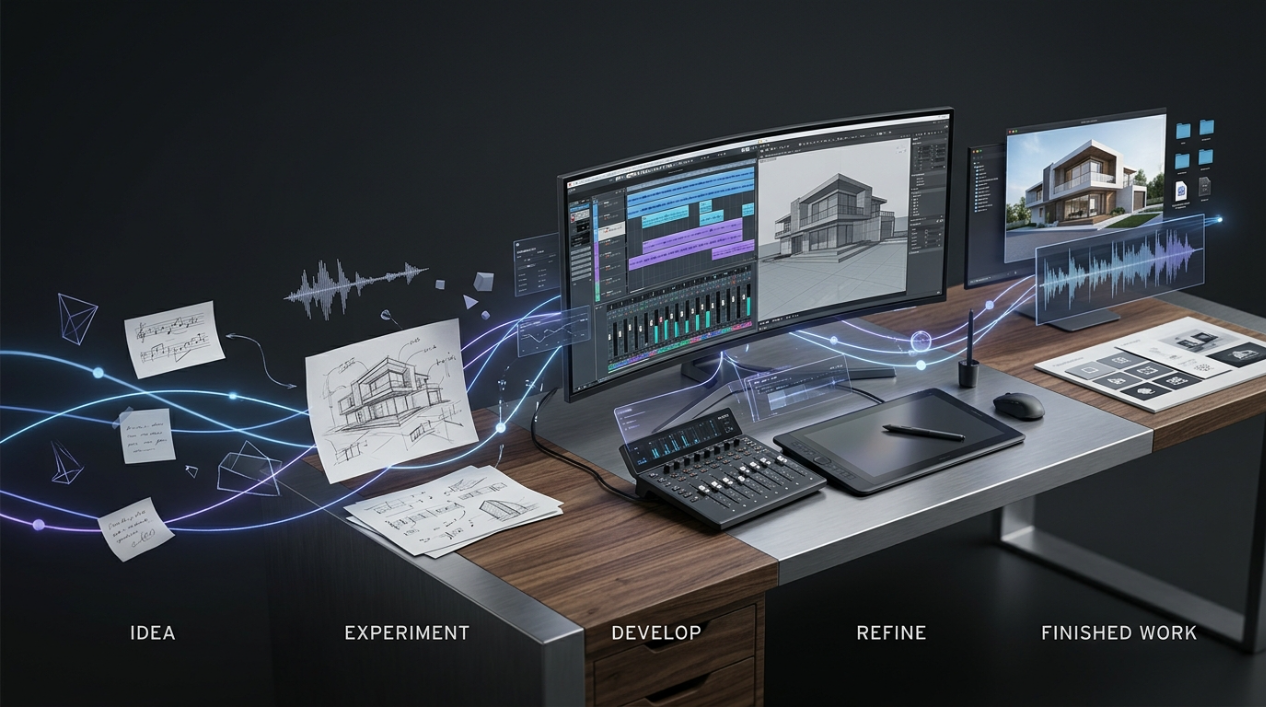
The strongest creative workflows have something important in common: they reduce the distance between thinking and doing.
A creator has an idea.
The workflow provides a way to capture it.
The idea becomes a rough version.
That version can be tested.
The useful parts are retained.
The weak parts are changed or discarded.
Feedback enters the process.
The result becomes increasingly refined.
Eventually, something that once existed only as a thought becomes a finished piece of music, a 3D model, a presentation, a design, or another tangible result.
This is why the principles behind turning rough concepts into workable projects matter across so many creative industries. The tools may differ, but the underlying process of experimentation and refinement remains remarkably similar.
Creative Productivity Is About Better Decisions
It is tempting to define productivity as the number of tasks completed in a day.
For creative professionals, that definition is too narrow.
A better measure is the quality of decisions made with the available time.
Spending three hours refining the wrong concept is not more productive than spending thirty minutes discovering that the concept needs to change.
Likewise, producing ten variations is not automatically better than producing three thoughtful alternatives.
The purpose of an efficient workflow is to create conditions where better decisions can happen.
That means reducing repetitive work, organising projects, encouraging experimentation, making feedback easier, and choosing software that matches the task.
Technology supports those objectives.
It does not replace the person making the decisions.
FAQ
1. What is a creative workflow?
A creative workflow is the structured process used to develop an idea from its initial concept into a finished project. It can include brainstorming, experimentation, production, revision, feedback, organisation and final delivery.
2. How can digital tools improve creative productivity?
Digital tools can reduce repetitive work, make experimentation easier, simplify revisions and improve collaboration. They also allow creators to test ideas digitally before committing significant time or resources to a final version.
3. Why is experimentation important in creative projects?
Experimentation helps creators discover better solutions rather than simply accepting their first idea. Testing different arrangements, designs or concepts can reveal opportunities that were not obvious at the beginning of a project.
4. How do music production and 3D design workflows differ?
Music production focuses primarily on audio, rhythm, arrangement, recording and sound design, while 3D design focuses on geometry, spatial relationships, modelling and visualization. However, both rely on similar principles such as iteration, organisation and feedback.
5. How can creators make their workflows more efficient?
Creators can improve efficiency by using reusable templates, organising files consistently, creating rough versions early, collecting feedback before the final stage and choosing software that matches the specific requirements of their projects.
Conclusion
Creative productivity is not about turning creative work into an assembly line.
It is about building an environment where ideas can develop without unnecessary obstacles.
Digital workflows make that possible by giving creators ways to experiment, prototype, revise, organise and communicate. Music producers can develop fragments into arrangements. Designers can turn sketches into models. Architects can test spatial concepts before construction. Teams can review work before expensive decisions become difficult to reverse.
The strongest approach is simple: start before the idea is perfect, keep experimentation inexpensive, organise the work, invite useful feedback and refine what proves valuable.
Software will continue to evolve, particularly as AI and automation become more deeply integrated into professional creative applications. But the underlying principle will remain the same.
